
Managing health and safety documentation can feel overwhelming for UK SMEs. Between risk assessments, COSHH forms, method statements, and policy updates, the paperwork piles up quickly. Manual processes eat into your time, increase the risk of compliance errors, and leave you scrambling when regulations change. Digital editable templates offer a practical solution, transforming compliance from a burden into a streamlined process. They save hours of administrative work, ensure consistency across your documentation, and adapt easily as your business grows or regulations evolve.
Table of Contents
- Key takeaways
- Understanding digital health and safety templates
- Preparing to implement digital templates in your business
- How to effectively use and customise health and safety templates
- Verifying and maintaining your health and safety documentation
- Find the perfect digital health and safety templates for your business
- Frequently asked questions
Key Takeaways
| Point | Details |
|---|---|
| Compliance risk reduction | Digital editable templates help ensure documentation aligns with current UK regulations, reducing the risk of compliance errors. |
| Time savings | Templates save hours of administrative work by providing ready made structures that staff can edit and reuse. |
| Customisable templates | You can tailor policies, risk assessments, and RAMS to your needs and update them easily as regulations change. |
| Consistency across documents | Using the templates ensures every document follows the same structure, making review and comparison easier. |
Understanding digital health and safety templates
Digital health and safety templates are pre-designed, editable documents that provide structured frameworks for compliance paperwork. Unlike static PDFs or paper forms, these templates come in formats like Microsoft Word that you can modify, save, and reuse. They’re built around UK regulatory requirements, giving you a professional starting point that covers essential sections, prompts, and legal considerations.
The most common types include:
- Policy templates covering workplace health and safety responsibilities, procedures, and commitments
- Risk assessment forms identifying hazards, evaluating risks, and documenting control measures
- COSHH assessment templates for managing hazardous substances safely
- RAMS documents combining risk assessments and method statements for specific tasks or projects
- Method statements detailing step-by-step procedures for high-risk activities
- Toolbox talk sheets for delivering quick safety briefings to teams
Digital formats transform how you manage compliance. You can store templates centrally, share them instantly with site managers or subcontractors, and update them in minutes when regulations shift or your operations change. No more hunting through filing cabinets or recreating documents from memory. Health and safety templates save time by providing immediate access to professional frameworks that meet legal standards.
For UK SMEs, template-based compliance management solves three critical challenges. First, it removes the guesswork from documentation. You know you’re covering the right elements because the template structure reflects current regulations. Second, it speeds up onboarding. New managers or safety officers can produce compliant documents without extensive training. Third, it creates consistency. When every risk assessment follows the same format, reviewing and comparing them becomes straightforward, making it easier to spot patterns, gaps, or areas needing attention.
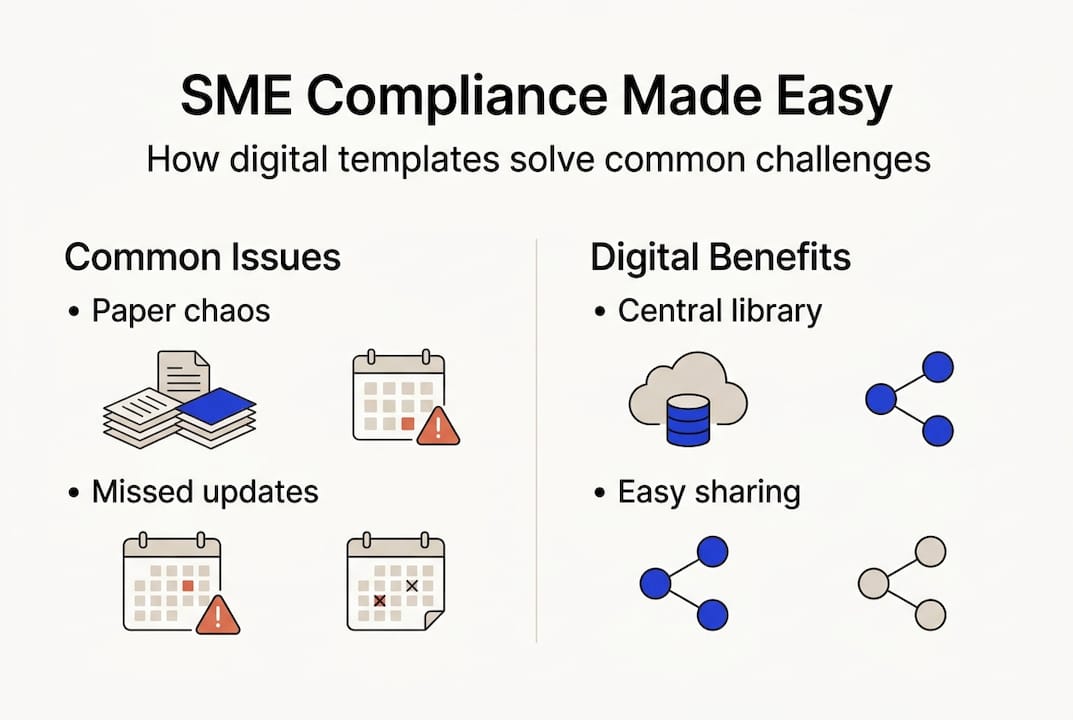
The accessibility factor matters too. Cloud storage means your health and safety documentation travels with you. Site visits, client meetings, or remote work become simpler when you can pull up, edit, or share documents from any device. This flexibility particularly benefits businesses operating across multiple locations or managing distributed teams.
Preparing to implement digital templates in your business
Before downloading your first template, take time to map your actual documentation needs. Different industries and business activities trigger different compliance requirements. A construction firm needs comprehensive RAMS and method statements for each project phase. A retail business might prioritise workplace policy templates and general risk assessments. A facilities management company requires COSHH assessments alongside equipment-specific safety procedures.
Start by listing every health and safety document your business currently maintains or should maintain. Check your insurance requirements, client contract specifications, and relevant HSE guidance for your sector. This audit reveals gaps in your current system and helps you prioritise which templates to implement first.
Next, consider software compatibility. Most businesses use Microsoft Word, making Word templates the safest choice. They open correctly, preserve formatting, and let multiple team members edit without version conflicts. PDF templates work for viewing and printing but offer limited editing capabilities unless you have specialised software. Customisable health and safety policy templates in Word format ensure your team can update documents easily without technical barriers.
Regulatory alignment is non-negotiable. Templates must reflect current UK health and safety legislation, including the Health and Safety at Work Act 1974, Management of Health and Safety at Work Regulations 1999, and sector-specific requirements. Look for templates designed by UK health and safety professionals who understand these frameworks. Generic international templates often miss crucial UK-specific elements or use terminology that doesn’t match HSE expectations.
Plan your document management approach early:
- Decide where you’ll store master templates versus completed documents
- Establish naming conventions that make files easy to find
- Set up folder structures that mirror your business operations
- Determine who has editing rights versus read-only access
- Schedule regular backup procedures to prevent data loss
Version control deserves special attention. When multiple people edit templates, tracking changes becomes essential. Use your software’s built-in version history features, or adopt a simple naming system like “Risk Assessment Template v2.1” that increments with each update. Document significant changes in a revision log so everyone understands what’s different and why.

Pro Tip: Create a master template library that only designated personnel can edit, then distribute working copies to teams. This prevents accidental changes to your base templates while giving everyone the documents they need.
How to effectively use and customise health and safety templates
Customising templates properly transforms them from generic frameworks into powerful compliance tools tailored to your operations. Follow this systematic approach:
- Open the template and save it immediately with a specific, descriptive filename that includes the date and project or location
- Replace all placeholder text with your actual business details, including company name, address, and relevant personnel
- Review each section carefully, reading prompts and guidance notes before filling them in
- Identify hazards specific to your workplace, task, or project rather than copying generic examples
- Define control measures that genuinely apply to your situation, referencing your actual equipment, procedures, and resources
- Add or remove sections as needed to match the complexity of the activity you’re documenting
- Include relevant reference documents, legislation, or internal procedures that support your approach
- Assign clear responsibilities with names and roles, not just job titles
- Set realistic review dates based on how frequently the activity occurs or conditions change
- Proofread thoroughly before finalising, checking for consistency and completeness
Accuracy matters more than speed. A rushed template filled with vague or incorrect information provides no real protection and could create liability during an incident investigation. Take time to consult with the people actually doing the work. Their frontline knowledge reveals hazards and practical control measures that office-based assessors might miss.
Common pitfalls to avoid:
- Leaving placeholder text or example content in final documents
- Copying sections from one assessment to another without checking relevance
- Using overly generic language that could apply to any business
- Failing to update templates when equipment, procedures, or personnel change
- Treating template completion as a tick-box exercise rather than genuine risk management
Modern word processing software offers features that enhance template use. Track Changes lets multiple reviewers suggest edits without overwriting original content. Comments allow you to flag questions or areas needing expert input. Version history automatically saves previous iterations, so you can recover earlier versions if needed. Collaborative editing enables real-time teamwork on complex documents.
Downloadable construction phase plan templates demonstrate measurable benefits including improved efficiency and clarity compared to building documents from scratch.
| Feature | Static templates | Editable digital templates |
|---|---|---|
| Customisation | Limited to handwritten notes | Full text editing and restructuring |
| Update speed | Requires reprinting entire document | Edit and save in minutes |
| Version control | Manual tracking on paper | Automatic digital version history |
| Sharing | Physical copies or scanned PDFs | Instant email or cloud sharing |
| Storage | Filing cabinets and physical space | Cloud storage accessible anywhere |
| Search capability | Manual review required | Keyword search across all documents |
| Collaboration | Sequential review process | Simultaneous multi-user editing |
| Cost per use | Ongoing printing and storage costs | One-time purchase, unlimited use |
Understanding practical approaches to site safety helps you apply template guidance more effectively in real-world contexts.
Pro Tip: Create a customisation checklist specific to each template type. Before marking any document as complete, run through your checklist to ensure you’ve addressed every required element and personalised all relevant sections.
Verifying and maintaining your health and safety documentation
Creating compliant documents is just the beginning. Ongoing verification and maintenance keep your health and safety system effective and legally sound. Regular audits catch outdated information, identify gaps, and ensure your documentation still matches your actual operations.
Schedule systematic reviews based on document type and risk level:
- High-risk activity assessments: Review every 6 months or after any incident or near miss
- General workplace risk assessments: Annual review minimum, or when significant changes occur
- Health and safety policies: Annual review to reflect organisational or legislative changes
- COSHH assessments: Review when new substances are introduced or regulations update
- Method statements: Before each new project or when procedures change
Digital templates make updates remarkably simple. When regulations change or you identify improvements, you can revise your master template once and then update all related documents systematically. Version control features help you track what changed and when, creating an audit trail that demonstrates your commitment to continuous improvement.
Monitoring legislation is crucial but needn’t be overwhelming. Subscribe to HSE email updates, join relevant trade associations, or work with a health and safety consultant who tracks regulatory changes. When updates affect your operations, review your template library to identify which documents need revision. Make changes promptly and communicate updates to everyone using the templates.
Consider these verification practices:
- Conduct spot checks where you compare documented procedures against actual workplace practices
- Gather feedback from employees about whether documented controls are realistic and followed
- Review incident reports to see if your risk assessments accurately identified hazards and controls
- Schedule annual compliance audits covering your entire documentation system
- Maintain a register of all health and safety documents with their review dates and version numbers
Digital systems excel at reminder automation. Set calendar alerts for review dates, use project management tools to assign verification tasks, or implement document management software that flags overdue reviews. These systems prevent documents from languishing unreviewed until an inspector or incident forces attention.
Standardising health and safety documents can save businesses up to 40% of the time spent on compliance paperwork, freeing resources for proactive safety improvements rather than administrative catch-up.
Pro Tip: Create a master review calendar at the start of each year listing every health and safety document and its scheduled review date. Assign ownership for each review to specific individuals, and track completion monthly. This simple system prevents reviews from falling through the cracks during busy periods.
Find the perfect digital health and safety templates for your business
ACI Safety provides UK SMEs with professionally designed, fully editable health and safety templates that eliminate compliance guesswork. Our comprehensive range covers everything from health and safety templates that save time to specialised documents for high-risk activities.
Every template is structured around current UK regulations and designed for easy customisation. Whether you need a customisable health and safety policy template for your entire organisation or a specific RAMS template for your next project, you’ll find professional frameworks that adapt to your unique operations. Download instantly in Word and PDF formats, edit on any device, and use unlimited times across your business. Stop wrestling with compliance paperwork and start focusing on what matters: keeping your team safe and your business running smoothly.
Frequently asked questions
How do I choose the right health and safety template for my business?
Start by identifying your specific regulatory obligations based on your industry, business activities, and workforce size. Construction firms need RAMS and method statements, whilst office environments prioritise general risk assessments and workplace policies. Review your insurance requirements and client contract specifications, as these often mandate particular documentation types. Choose templates in editable formats compatible with your team’s software, preferably Word documents that anyone can update without specialised tools.
Can I update the templates as regulations change?
Most digital templates are specifically designed for easy editing and updating throughout their lifecycle. When regulations change or you identify improvements, simply open the template, make necessary revisions, save a new version, and redistribute to relevant team members. This flexibility is precisely why editable formats outperform static PDFs or paper documents. Regular reviews ensure your documentation stays compliant and relevant to your current operations, with version control features helping you track changes over time.
Are digital templates secure and easy to share with my team?
Editable templates offer robust security options including password protection, access controls, and encryption when stored in cloud platforms. You can restrict editing rights to designated personnel whilst giving broader read-only access to frontline staff who need to reference procedures. Digital sharing enables instant distribution via email or cloud links, eliminating delays associated with printing and physical distribution. Collaborative features let multiple team members contribute to complex documents simultaneously, speeding up the review and approval process.
What are the benefits of standardising health and safety documents?
Standardisation streamlines your entire compliance process by creating consistent formats that everyone recognises and understands. When all risk assessments follow the same structure, reviewing them becomes faster and spotting gaps becomes easier. Training new managers takes less time because they’re working with familiar frameworks rather than learning different formats for each document type. Standardising health and safety documents can save businesses up to 40% of the time spent on compliance paperwork, freeing your team to focus on core business activities and proactive safety improvements rather than administrative tasks.